
Welcome to the Sales Team
As part of the Conversion team, we help to make dreams come true!

Sales Message
The goal of SalesMessage is to..
Raise our connection rates with Leads.and reduce the amount of unnecessary outreach from Sales using tasks.
Respond to them more quickly to answer their questions.Get them scheduled with the Sales team so we can qualify them and then move them up the Sales funnel.
When will they hear from us?
Leads will be added to SalesMessage once they have:
ACTIVATED a Free Trial
Input a phone number
If they meet that criteria then they will be sent a series of automated SMS messages until they reply or opt-out. Then we will remove them from automation. We will send them a message on:
Day 1: Welcome Message
Day 3: Check-in
Day 6: Check-in
Day 9: Check-in
Day 12: Trial is almost over
Day 14: Trial ends today
How do we manage replies?
SDA's reply to leads in SalesMessage during their designated SMS "shifts." Morning shifts start when your workday begins. When lunch ends, the afternoon shift starts. If you are on duty in the afternoon, you will sign out of SalesMessage 30 minutes before your EOD. An example schedule is as follows:
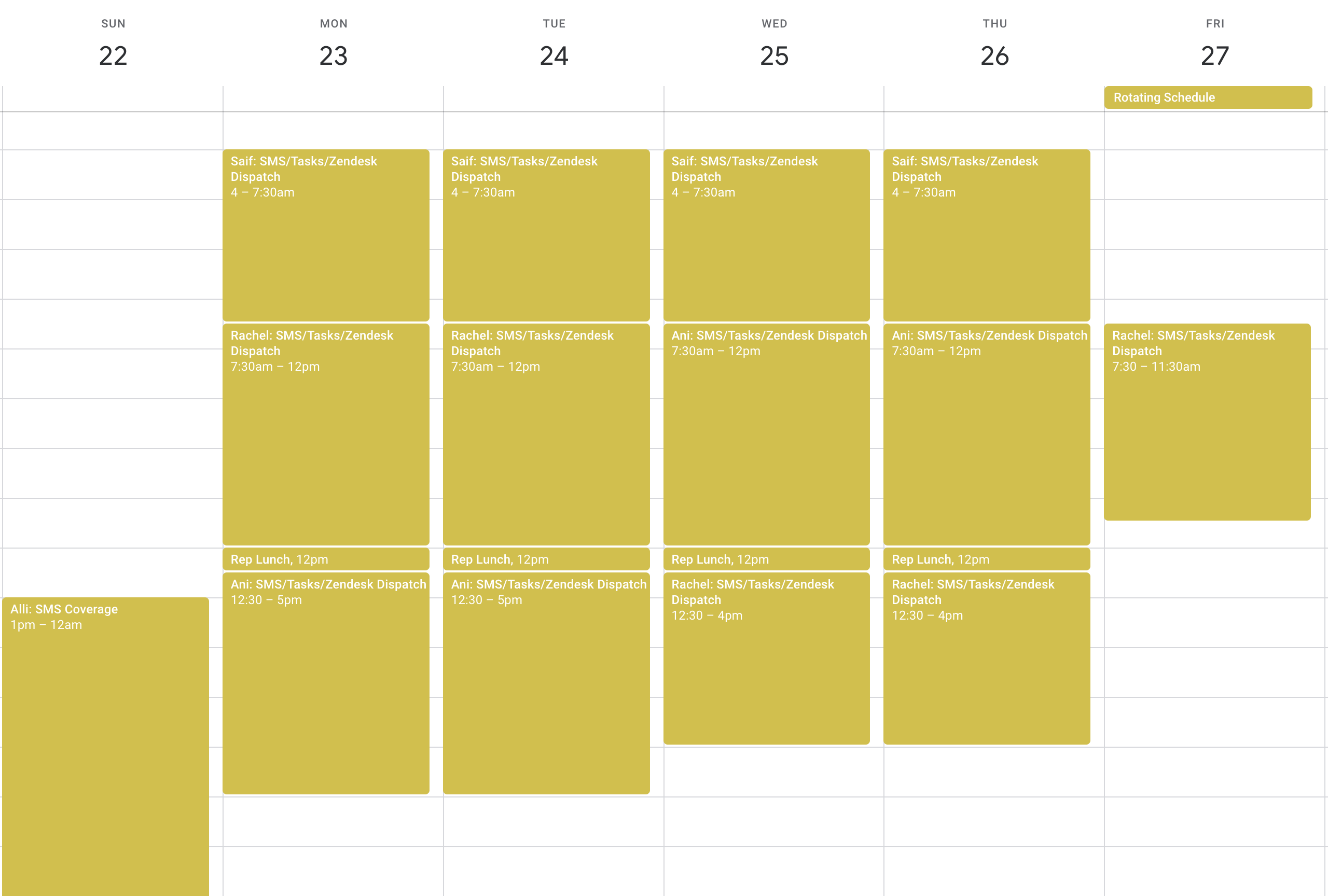
When someone replies, the goal is to answer any questions they have, and try to get them booked on a call if they have not yet had one. When offering a call, remember to...
When someone replies, the goal is to answer any questions they have, and try to get them booked on a call if they have not yet had one. When offering a call, remember to...
Check that they are a contact in custom. If they are not, please use the new lead form to add them.Use the Tier 1 Sales: UTM Links spreadsheet to create a UTM link for the contact with the email address that is shown in custom.Since UTM links are long, use Bitly URL shortener to create a link, and send that in the SMS message.
Usecases
Client is no longer interested: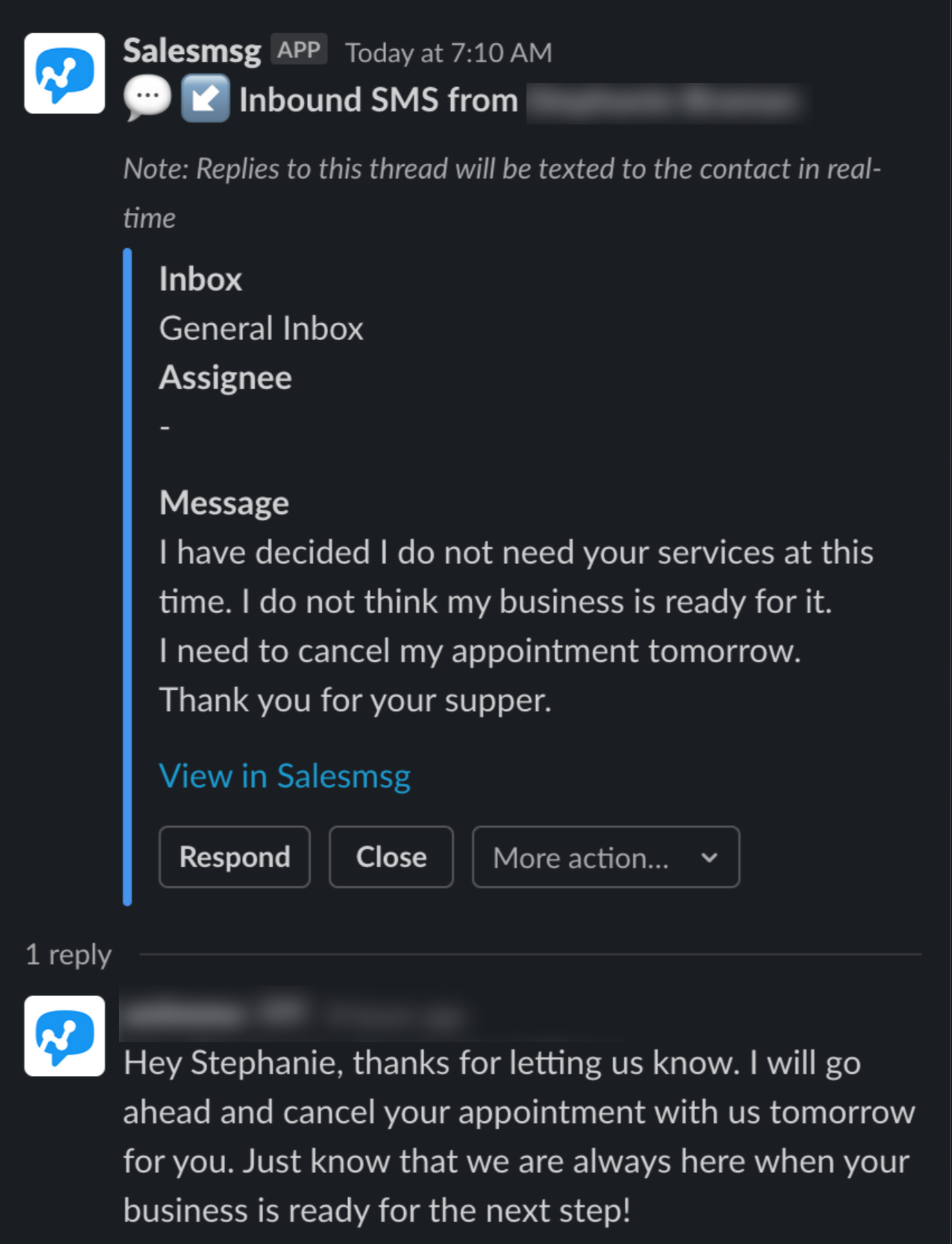
Opportunities to engage more: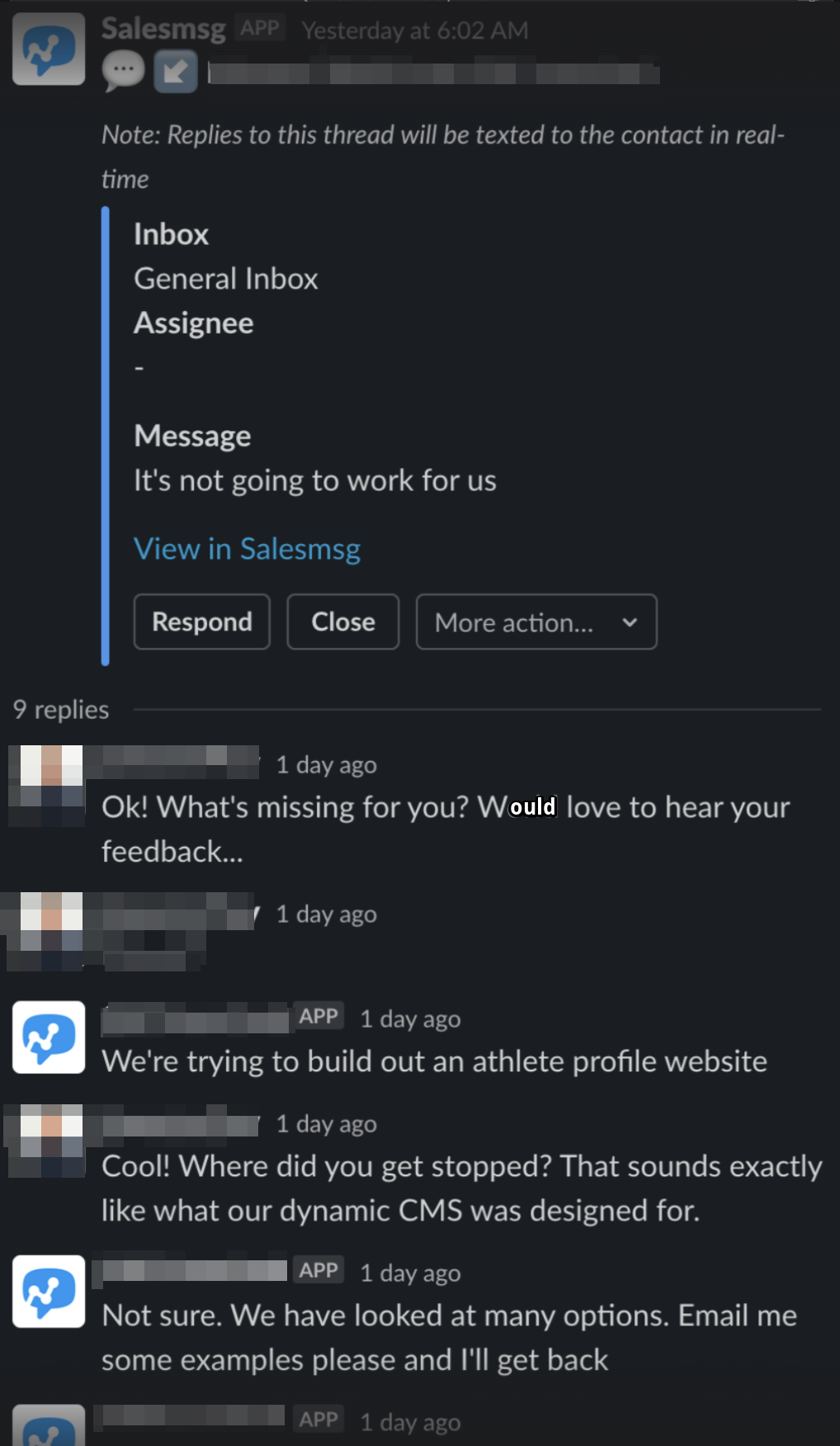
Activity
Sign into SalesMessage and monitor SMS!
Sign into SalesMessage and monitor for any new responses.Promptly reply to new messages. Get leads booked on calls, and help answer any questions they have!